
Sell our collection on your own Shopify store. Without keeping any stock.
Connect your Shopify store once. We add the products you pick, with your brand and your price. Price and stock then update by themselves.
Setup and a 5-product test are free. Works with Shopify.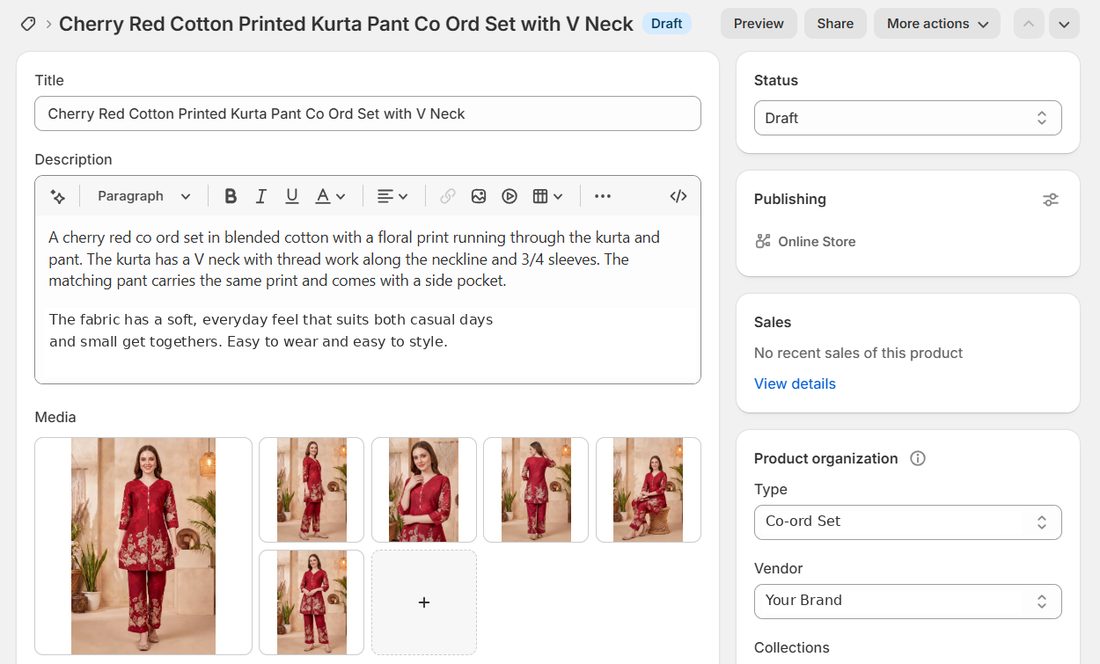
You choose: hide sold out products or show "Sold out", add new designs or not, same margin on all or your own price on each.
How it works
- 1FreeConnect your storeMake a small app in your Shopify and paste two keys on our site. About 10 minutes.
- 2FreeSet price and brandYour margin, your brand name and your own SKU start, like MS.
- 3FreeTest with 5 productsWe send 5 products as Draft. You check them in Shopify.
- 4PlanPick a planPay by UPI or bank. We switch it on within a few hours.
- 5LivePick all your productsWe send them and keep price and stock updated, 1 to 3 times a day.
How orders work
Orders do not come to us by themselves. You place them, the same way as today.
How to connect your store
Do this on a laptop. You make a small private app in your own Shopify account. Only you can install it, and you can remove it any time.
Open the Dev Dashboard
In your Shopify admin, click these one after the other:
Create the app
Press Create app and give it any name, like My Product Sync.

App URL, embed and permissions
- App URL: type your store address, like
https://yourstore.myshopify.com - Embed app in Shopify admin: remove this tick.
- Scopes: paste this line exactly:
write_products,write_inventory,read_locations,write_publications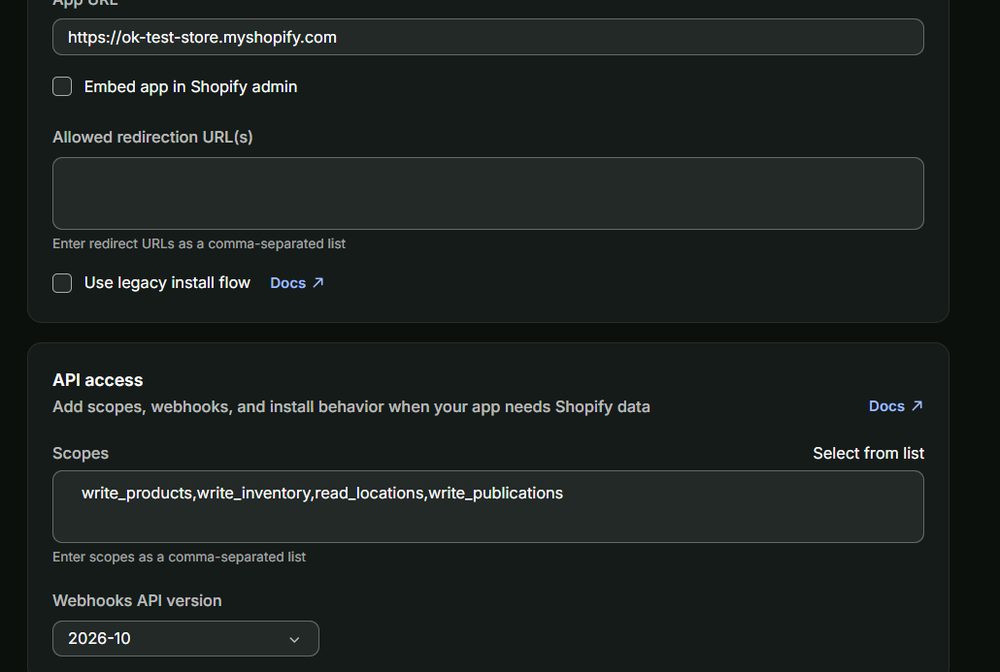
We only ask for products, stock, locations and sales channels. Never customers, orders or payments.
Release
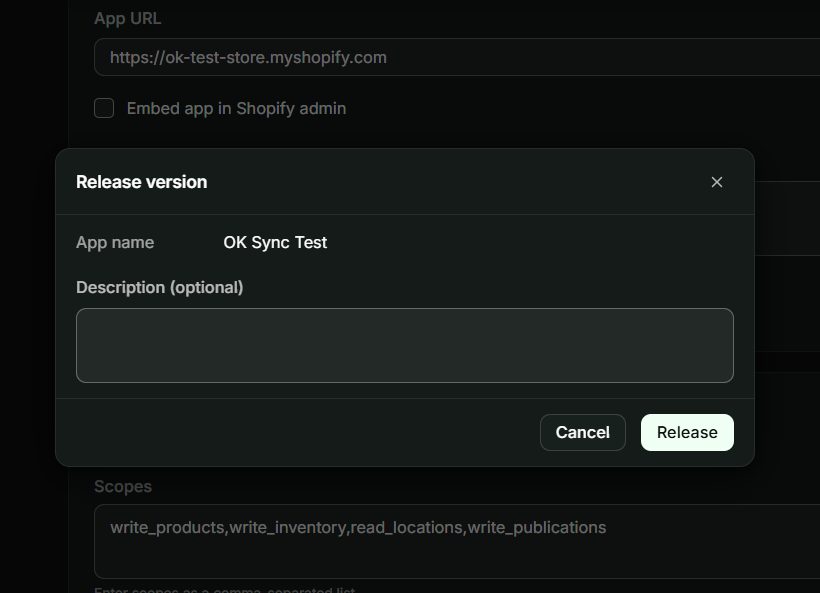
Press Create app, then Release, and Release again in the box.
Install it on your store
Go to the app's Home, press Install app, pick your store, then press Install.
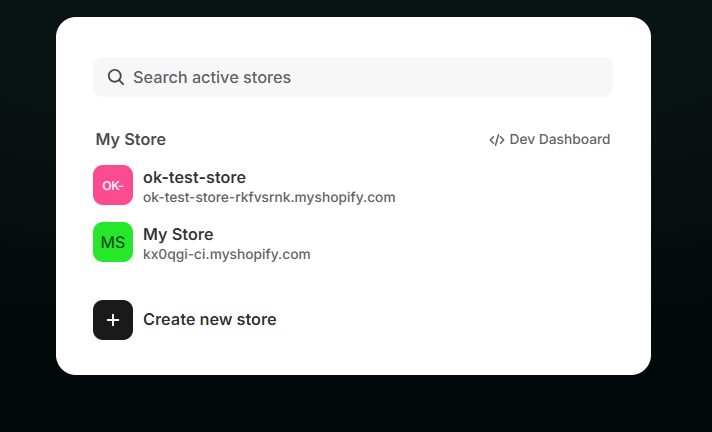
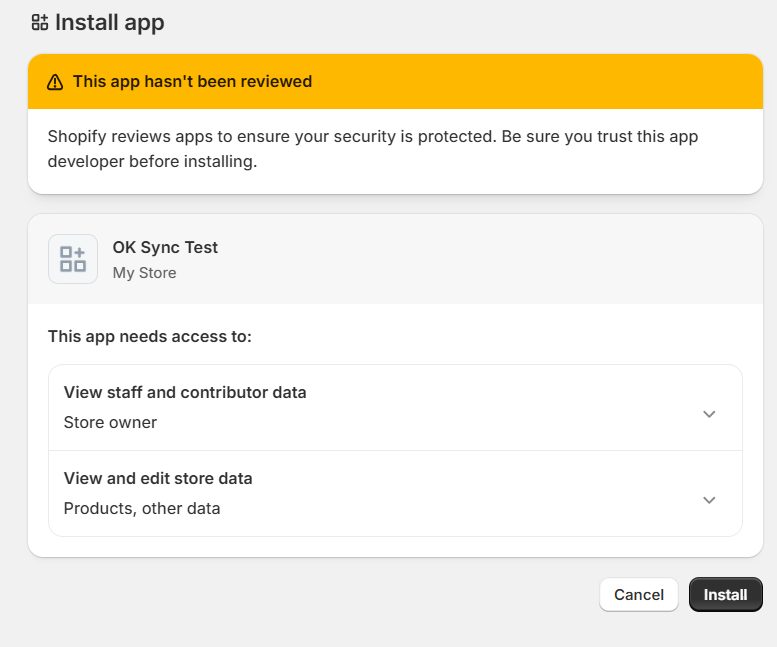
Shopify may say "This app hasn't been reviewed". That is normal, it is your own app.
Copy the two keys
In the app, open Settings. Copy the Client ID and the Client secret.
Paste them on OnlineKurtis
Open My Shopify Store in your OnlineKurtis account. Paste your store address and the two keys, read the points, tick and press Connect. You will see Connected.
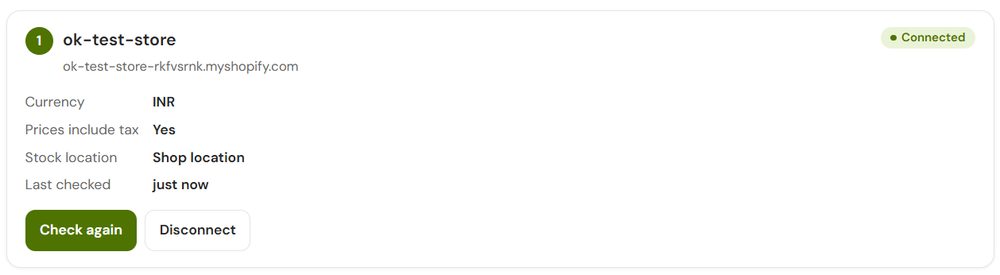
Your secret is kept locked (encrypted) on our server. Our team cannot see it.
Free test, then all your products
Set your margin and brand, send 5 test products and check them in Shopify. Happy? Pick a plan, pick your products, and we do the rest.
Plans
Setup and the 5-product test are free. Only for the Shopify connector, separate from the API.
Questions and answers
How do I start?
Sign up and finish the 2-minute KYC. Then message us on WhatsApp and we turn on My Shopify Store for your account. After that, follow the steps above.
Will my buyers see OnlineKurtis anywhere?
No. Your brand shows as the Vendor, the SKU is your own (like MS-0012-M), and our name, codes and links are removed from the title, description and tags.
Do orders come to you by themselves?
No. When a buyer orders on your Shopify store, you place the order on OnlineKurtis. Open Place an order and paste the SKU from your Shopify order (like MS-0012-M). The product shows right there with the size already picked. More than one item? Paste all the SKUs with a comma. Add your buyer's address and pay. We pack it on video and ship it with your name.
How fresh is the stock?
We update price and stock 1, 2 or 3 times a day, you choose. So stock can be a few hours behind. If a buyer orders a size that just sold out, you cancel and refund that order.
What if one size sells out?
That size shows 0 stock and cannot be bought. The other sizes stay on sale.
What if the whole product sells out?
You choose. We hide it (Draft) and bring it back when stock is back, or we keep it and Shopify shows Sold out.
Can I set my own price?
Yes. Use one margin for all products (add % or add rupees), or type your own price on each product. If our price ever goes above yours, we hide that product and tell you, so you never sell at a loss.
Can I edit the products in Shopify?
Yes. Change titles, descriptions, photos and tags as you like. After the first send we only update price, cut price, stock, and Draft or Active for sold out products. Tags you add are never removed.
Will you delete anything in my store?
Never. Products you remove from your list, or that we stop selling, are set to Draft. Your other products are never touched.
Can you put products in my collections?
Yes. Same collections as our categories, all in one collection, or none. We only add products to collections, we never remove them.
What happens when my plan ends?
Your products stay in your store, but price and stock stop updating. Sold out sizes will not show 0. Renew to start the updates again.
Is my store safe?
You make the app yourself and you can uninstall it any time. We only get permission for products, stock, locations and sales channels. Your secret is stored encrypted.
Do you support WooCommerce or other platforms?
Not yet. Shopify only for now. If you have your own website or app, ask us about our API.
Ready to sell on your own Shopify store?
No stock to buy. Your brand, your price. Setup and test are free.
Shopify is a trademark of Shopify Inc. OnlineKurtis is not part of Shopify.